Imagine someone is sitting in a coffee shop, connected to the free public Wi-Fi, checking their bank balance on their phone. Everything looks normal. The page loads, the numbers show up, nothing feels wrong.
But somewhere between their phone and the bank's website, someone else is quietly watching. Not because the bank's website was hacked. Not because a password was weak. Just because of one tiny gap that most people never think about — the first few milliseconds of a website connection.
This is exactly the kind of gap that a setting called Strict-Transport-Security, or HSTS, was built to close.
Let's understand what it really means.
What is HSTS?
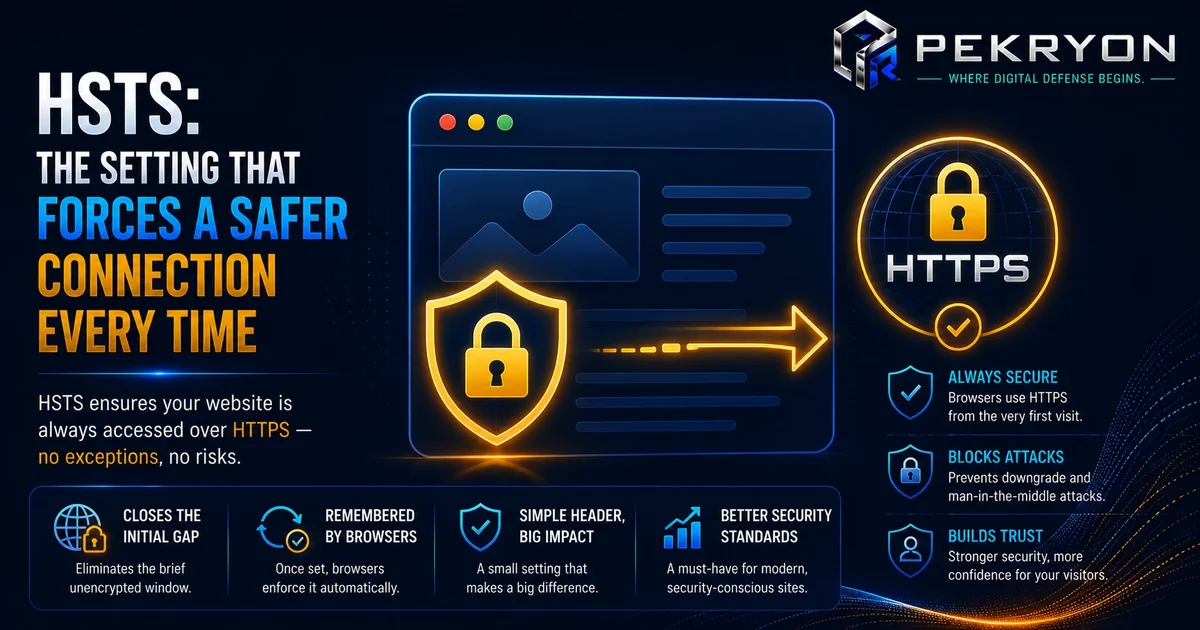
HSTS stands for HTTP Strict Transport Security. It's an instruction that a website gives to your browser, saying: "Always talk to me using a secure, encrypted connection (HTTPS). Never use the unsecured version (HTTP), not even once."
To understand why this matters, you need to know the difference between two versions of almost every website:
- HTTP — the older, unencrypted way of loading a website. Data travels in plain, readable form.
- HTTPS — the secure version, where data is scrambled (encrypted) so nobody in between can read it.
Most websites today support HTTPS. The padlock icon you see in your browser's address bar is a sign of this. But here's the part beginners usually don't know: even a website with HTTPS can still have a hidden weak spot.
Why should you care?
Here's the sneaky part. When you type a website address like example.com into your browser (without typing https:// in front), most browsers first try to reach it over the old, unsecured HTTP version — even if the website actually supports HTTPS. The website then usually redirects you to the secure version.
That first moment, before the redirect happens, is a small window where things can go wrong. Someone on the same network — like that public Wi-Fi — can potentially intercept that first request and quietly reroute you to a fake or unsecured version of the site, without you ever noticing. This is sometimes called a downgrade attack.
HSTS closes this window. Once your browser has visited a website with HSTS turned on, it remembers a simple rule: "Never connect to this site over plain HTTP again — go straight to HTTPS, every single time." That first risky moment disappears for future visits.
Where do you see it in daily life?
You don't "see" HSTS the way you see a padlock icon. It works silently in the background. But you benefit from it every time you:
- Log into online banking or a payment app
- Enter a password on any website
- Use public or shared Wi-Fi at a café, airport, or hotel
- Shop online and enter card details
Websites that handle sensitive information — banks, email providers, online stores — almost always use HSTS today, even though most visitors never notice it.
How does it work?
When a website enables HSTS, it sends a special instruction, called a header, along with its webpage. This header basically tells your browser: "Remember this website. From now on, only connect to it securely, for the next X amount of time."
Your browser stores this instruction. The next time you try to visit that site — even if you type the address without https:// — your browser skips the risky unsecured step entirely and jumps straight to the secure version, before making any connection at all.
Common examples
Most major websites you use daily — banks, search engines, social media platforms, and online shopping sites — use HSTS. It's considered a basic, expected security practice for any site that handles logins, payments, or personal data.
Benefits
- Blocks downgrade attacks — removes the risky first-connection window
- Protects users on public networks — especially useful on shared or unsecured Wi-Fi
- Builds trust — search engines and security tools view HSTS as a sign of good website hygiene
- Simple to add — for most websites, it's a small configuration change, not a major project
Risks or limitations
HSTS is powerful, but it's worth knowing a well-known exception: HSTS only works after a browser has visited the site at least once and received the instruction. On someone's very first-ever visit to a site, that initial protection gap can still technically exist — this is known as the "trust on first use" limitation.
There's a solution for this too: websites can submit themselves to something called the HSTS Preload List, which is built into major browsers. If a site is on this list, browsers already know to use HTTPS-only, even before the first visit. Not every website does this, though — it's an extra, optional step beyond basic HSTS.
Common mistakes beginners make
- Assuming HTTPS alone is enough — HTTPS and HSTS are related but different; HTTPS makes a secure connection possible, HSTS makes sure the secure connection is enforced.
- Not renewing or reviewing the setting after moving to a new server or hosting provider
- Setting a very short duration for the instruction, which reduces how long the protection lasts between visits
Tips or best practices
- If you manage a website, check with your hosting provider or developer on whether HSTS is enabled
- If you're comfortable with settings, ask specifically about "preload" status too, for the strongest protection
- If you're unsure whether your own site has this turned on, a website scanner (like the one at pekryon.com) can check this for you in a few seconds