A small business owner sent price quotations to five new customers over email. Nobody replied.
They assumed people were just busy. Then a regular customer mentioned, almost in passing, "Your email went to my spam folder. I almost missed it."
The owner was confused. Nothing had changed on their end. No new content, no unusual activity they could see. So why was their honest, ordinary website suddenly being treated with suspicion?
The answer had nothing to do with anything visible on the website itself.
Let's understand what it really means.
What Does "Not Blacklisted" Mean?
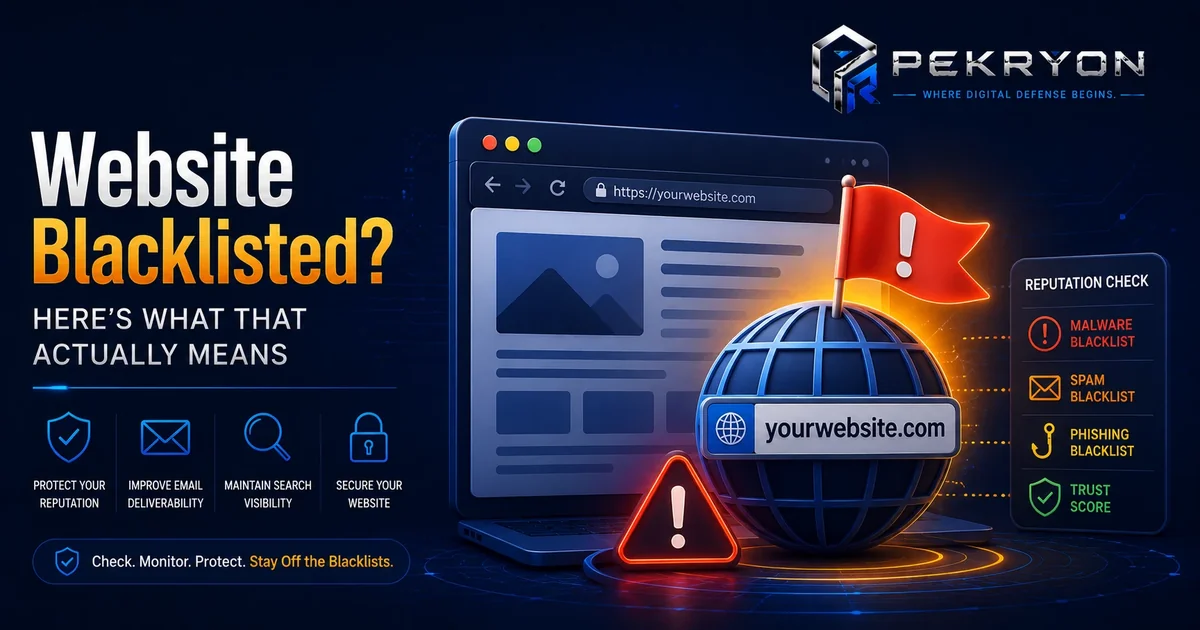
Several organisations around the internet — like email providers, browsers, and independent security groups — maintain shared lists of website addresses (domains) and internet addresses (IPs) known to have been linked to spam, malware, or scams. Being added to one of these lists is called being blacklisted.
"Not Blacklisted" simply means a website's address doesn't currently appear on any of these known lists — in other words, it currently has a clean reputation.
Think of it like a background check. Most people pass one without issue, but if your name accidentally ends up on the wrong list — even by mistake, or because of something someone else did nearby — every security check afterward starts treating you differently, regardless of your actual intentions.
Why Should You Care About This?
Being blacklisted, even briefly, has real, practical consequences:
- Emails stop arriving — many email providers quietly send messages from blacklisted domains straight to spam or block them entirely.
- Visitors see warnings — some browsers and security tools show cautionary messages before a flagged website even loads.
- Trust quietly erodes — even if someone does reach your website, an earlier warning or a spam-folder email can leave a lasting impression of unreliability.
- You often don't find out on your own — there's usually no alert or notification; you simply notice fewer replies, fewer visitors, or fewer sales, without an obvious cause.
None of this requires you to have done anything wrong deliberately — which is exactly what makes it worth understanding.
Where Do You See This in Daily Life?
You've likely experienced the effects of blacklisting without ever hearing the term:
- An important email landing in spam for no clear reason
- A website showing a "Not Secure" or cautionary warning in your browser
- A business email suddenly getting noticeably fewer replies than usual
- A hosting provider sending a message about "unusual activity" on an account
Each of these can trace back to a domain or IP address being flagged somewhere along the way.
How Does Blacklisting Actually Happen?
You generally don't need to do anything wrong yourself for this to happen. Common causes include:
- A hacked website — attackers quietly use it to send spam or host harmful files without the owner noticing.
- An abused contact form — automated bots use a website's own form to send bulk spam messages.
- Shared hosting issues — many small websites share the same server address. If one website on that server misbehaves, others sharing that address can get flagged too, even though they did nothing wrong.
- Outdated software — old, unpatched systems (common on certain website platforms) can have known weaknesses that let attackers gain access.
Here's an important nuance worth understanding: not every blacklist works the same way, and not every flag is equally serious. Some blacklists focus narrowly on email-sending reputation, while others focus on browser-level malware warnings. A domain can be flagged on one and completely clean on another. This is why checking "a" blacklist isn't the same as confirming a clean reputation overall — a proper check looks across multiple lists at once.
Common Examples
- An honest small business gets hacked, and attackers use it to silently send spam overnight. Within days, the domain lands on an email blacklist, and customer emails stop arriving.
- A blog's comment section gets flooded with spam bots, and search engines start treating the domain with more caution as a result.
- A business on very cheap shared hosting finds their emails suddenly undeliverable, not because of anything they did, but because another website on the same server got flagged.
Benefits of Checking Your Blacklist Status Regularly
- Peace of mind, knowing your website and emails are currently trusted
- Better email delivery, so quotations, invoices, and updates actually reach people
- Early detection of a hacking attempt, often before it causes bigger damage
- A stronger, more professional reputation with visitors and customers
Risks or Limitations to Understand
- Getting removed from a blacklist (called "delisting") isn't instant — it can take anywhere from a few hours to a few days after the underlying issue is fixed
- Even after removal, some email providers take additional time to fully restore trust in a domain
- Being flagged once, if the root cause isn't fixed, can lead to repeated flags later
- A clean result today doesn't guarantee a clean result forever — regular checking matters more than a single one-time check
Common Mistakes Beginners Make
- Assuming blacklisting only happens to businesses doing something wrong on purpose
- Ignoring warning emails from a hosting provider about unusual activity
- Never checking their website's reputation until a customer or colleague mentions a problem
- Fixing the visible symptom (like changing hosting) without removing the actual malicious code causing the flag in the first place
Beginner Tips
- Check your domain's blacklist status periodically, not just when something already seems wrong.
- Keep your website software updated, since outdated systems are one of the most common ways attackers gain access in the first place.
- Add basic spam protection to any contact or comment forms to reduce bot abuse.
- Choose reliable hosting, since quality hosting reduces the shared-risk factor common with very cheap shared plans.
- Don't panic if flagged — most blacklist issues are fixable once you understand the actual cause.
Manual Check Guide: How to Check This Yourself
You can get a quick sense of your domain's reputation using free, publicly available tools, without needing any technical background:
- Open your web browser and search for "MXToolbox blacklist check" (a well-known, free public tool).
- On the tool's website, find the blacklist checker section and enter your website's domain name (for example, yourbusiness.com).
- Click the check or search button and wait a few seconds for results.
- Look at the results list — each entry shows a specific blacklist name with a status, usually marked clearly as "Listed" or "OK."
- If everything shows "OK" or a similar clean status, your domain currently isn't flagged on the lists checked by that tool.
- If any entry shows as "Listed," note down which specific list flagged you, since this helps when researching how to request removal.
Repeating this check every few weeks, especially if you rely on email for business communication, is a simple habit that catches problems early.
If Left Unaddressed: The Risk in Plain Terms
If a website is compromised and starts being used to send spam or host harmful content, the consequences tend to build up gradually rather than happening all at once. Left unnoticed, a compromised site can continue being misused for spam campaigns or malware distribution for an extended period, since the owner often has no direct way of knowing unless they check specifically or a visitor happens to mention a warning. Over time, this can lead to a domain accumulating multiple blacklist flags, deepening email delivery problems, and requiring more effort to fully restore a clean reputation later.
This is a general explanation of why leaving the underlying cause unaddressed can make the situation worse over time — not a technical guide to how any specific compromise is carried out. Understanding this risk is meant to help website owners see why regular checking and prompt action matter, not to describe any actionable technique.
Frequently Asked Questions
1. What does it mean if my website is blacklisted? It means your website's address has been flagged by one or more security organisations, and email providers or browsers may now block or warn people about it.
2. How do I know if my website is currently blacklisted? You can use a free online blacklist checker tool, which scans your domain against multiple blacklist databases and shows you the results instantly.
3. Can a website get blacklisted without the owner doing anything wrong? Yes, quite commonly. Hacking, shared hosting issues, or outdated software can lead to blacklisting even when the owner never intended any harm.
4. How long does it take to fix a blacklisted website? It varies by blacklist provider, but typically ranges from a few hours to a few days after the underlying issue is fixed and delisting is requested.
5. Does blacklisting only affect my emails, or my whole website too? It can affect both. Some blacklists mainly impact email delivery, while others can trigger warning messages that stop visitors from reaching your website at all.
6. Is checking for blacklisting free? Yes, most basic blacklist and reputation checks are available for free through publicly accessible online tools.
7. How often should I check my website for blacklisting? Checking once a month is a reasonable habit for most small websites, and more frequently if you rely heavily on email for business communication.
8. Can shared hosting cause blacklisting even if I did nothing wrong? Yes. If your website shares a server with others and one of them is misused, your domain's reputation can be affected too, even without any fault of your own.
Conclusion
Blacklisting is one of those problems that hides quietly in the background — no error message, no obvious warning, just fewer emails reaching people and fewer visitors arriving, without a clear reason why.
The good news is that it's entirely manageable once you know to check for it. A simple, regular habit of reviewing your domain's reputation can save you from silently losing customers and trust over time.
If you'd like a quicker way to check this along with other important details about your website, you can run a free scan at pekryon.com and see your reputation status in one place.