A small business owner had carefully designed their website with a clear navigation menu at the top, a main content area in the middle, and a tidy footer at the bottom. Visually, it looked exactly like what people expect from a well-organised website.
One day, a visitor using a screen reader (special software that reads website content aloud for people with visual impairments) mentioned that navigating the site felt like listening to one long, uninterrupted block of text. There was no way to quickly jump to the main content or skip straight to the navigation menu — everything was read out in one continuous stream, regardless of what section it belonged to.
The owner was confused. The website clearly had a menu, a main section, and a footer — anyone looking at it could see the structure instantly.
The problem was that this obvious visual structure existed only in appearance, not in a form that screen readers could actually recognise.
Let's understand what it really means.
What Are ARIA Landmarks?
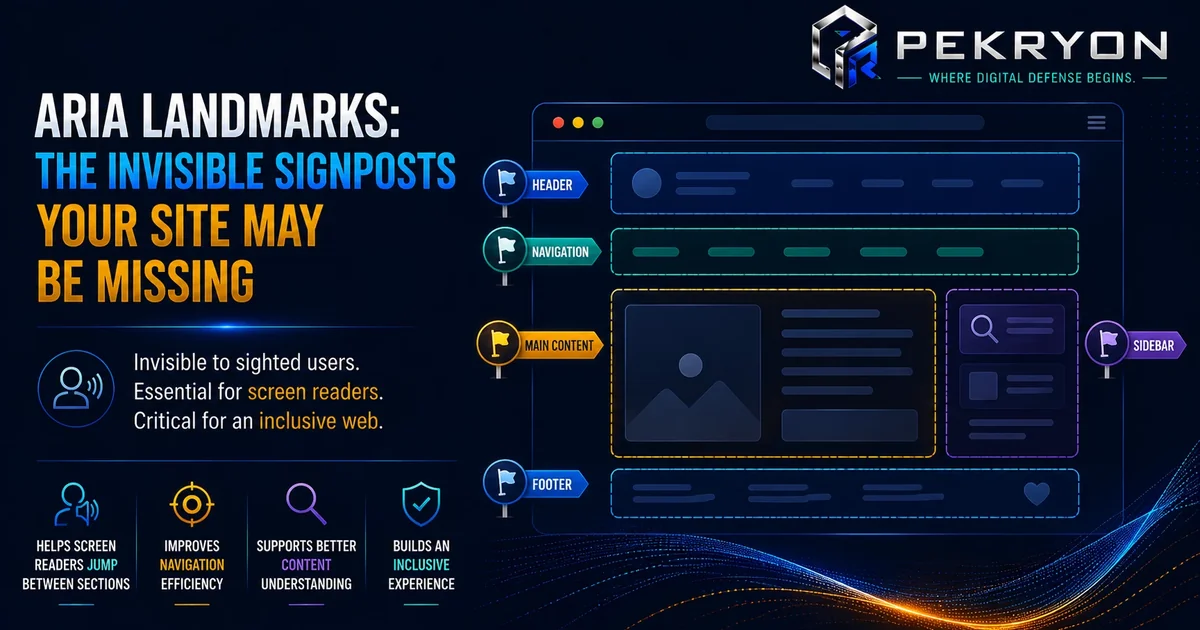
ARIA landmarks are special markers added into a website's code that clearly label major sections of a page — like "navigation," "main content," "search," or "footer" — so that screen readers can recognise and jump directly between them. ARIA stands for "Accessible Rich Internet Applications," a set of extra labelling tools designed specifically to help assistive technology understand a page's structure.
Think of it like the section signs in a large library — "Fiction," "Reference," "Children's Books." Even if the layout of the shelves is fairly logical, those signs make it instantly clear and effortless to find your way to the right area without wandering around guessing. Without the signs, the same organised shelves suddenly feel far less navigable, especially for someone who can't simply glance around the room.
Why Should You Care About This?
- Faster, easier navigation — screen reader users can jump directly to the section they need, like "main content" or "navigation," instead of listening through everything from the very top each time.
- Reduced frustration — without landmarks, visitors relying on screen readers may need to listen to repeated menus and headers on every single page.
- Better overall accessibility compliance — landmarks are a recognised part of building websites that meet common accessibility guidelines.
- Reflects thoughtful website building — clear landmark structure is exactly the kind of detail accessibility audits and quality checks look for.
Where Do You See This in Daily Life?
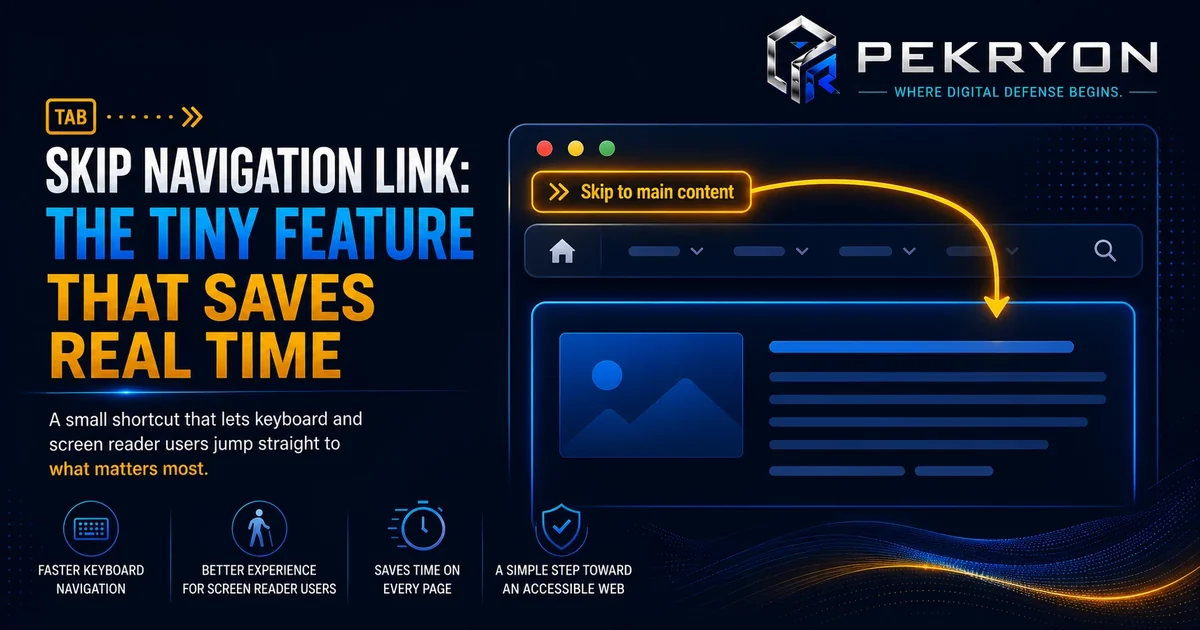
- A "skip to main content" link that lets you jump straight past a repeated menu on every page
- A screen reader announcing "navigation region" or "main content region" as it moves through a page
- Feeling like a page is oddly repetitive to browse, without quite knowing why, if landmarks are missing
- Quickly finding a search box because it's clearly marked as its own recognisable section
How Does It Actually Work?
Landmarks are added in a website's code using specific labels for common sections, such as marking the navigation menu, the main content area, any search functionality, and the footer. Screen readers recognise these labels and allow users to jump directly between them using simple keyboard shortcuts, similar to flipping between chapters in a book instead of reading it start to finish every time.
Here's an important nuance worth understanding clearly: many modern website-building tools already include proper landmark structure automatically, especially through certain built-in code elements designed specifically for this purpose. In these cases, using the correct built-in elements for navigation, main content, and footers often creates proper landmarks without any extra manual labelling at all. The confusion mostly happens on websites built more manually or with older techniques, where generic, unlabelled sections are used throughout instead of these purpose-built elements.
So the real takeaway isn't "every website is missing this by default," but rather "many websites unintentionally end up missing this, depending on how they were built."
Common Examples
- A website built using modern, semantic code elements for its menu, main section, and footer automatically provides proper landmarks without any extra manual work.
- An older website, built mostly with generic, unlabelled containers for every section, ends up with no clear landmarks at all, making screen reader navigation slow and repetitive.
- A business adds a "skip to main content" link and clearly labelled sections after an accessibility review, immediately making the site noticeably easier to navigate for screen reader users.
Benefits of Using ARIA Landmarks
- Makes your website genuinely faster and easier to navigate for visitors using screen readers
- Reduces frustration from repeated menus and headers being read out on every page
- Supports broader accessibility compliance alongside other best practices
- Reflects careful, considerate website building that benefits every visitor
Risks or Limitations to Understand
- Adding landmarks alone does not make a website fully accessible — it's one important piece of a much larger accessibility picture
- Overusing landmarks, or labelling too many minor sections as major ones, can create clutter rather than clarity
- Landmarks help with navigation and structure specifically — they don't fix unrelated issues like poor colour contrast or missing image descriptions
- On websites already using proper built-in structural elements, adding extra manual landmarks unnecessarily can sometimes create confusing duplication
Common Mistakes Beginners Make
- Assuming every modern website automatically has proper landmarks, regardless of how it was built
- Using only generic, unlabelled sections throughout a manually built website
- Adding too many landmarks for minor sections, diluting their usefulness for genuinely important areas
- Not testing with a screen reader or accessibility tool, so the issue goes unnoticed until a visitor reports it directly
Beginner Tips
- Use proper, purpose-built structural elements for your navigation, main content, and footer wherever your website-building platform supports them.
- Add a "skip to main content" link near the top of your pages.
- Keep landmark labelling meaningful, reserving it for genuinely major sections rather than every small block on the page.
- Test your website with a screen reader occasionally, to experience firsthand how easily someone can navigate between sections.
- Review your website's structure periodically, especially after redesigns.
Manual Check Guide: How to Check This Yourself
- Open any page on your website in a browser.
- Right-click anywhere on the page and select "Inspect" to open your browser's developer tools.
- Use the search feature within the developer tools and search for terms like "nav", "main", "footer", or "role=".
- Check whether your navigation menu, main content area, and footer are wrapped in these kinds of proper structural elements or labels, rather than only generic, unlabelled containers.
- If you see your key sections using these purpose-built elements, your landmarks are likely already in decent shape.
- If everything appears wrapped only in generic containers with no such labelling anywhere, that's worth reviewing further.
This check takes a few minutes and gives a reasonable first impression of your site's landmark structure.
Frequently Asked Questions
1. What are ARIA landmarks? They are labels added in a website's code that mark major sections like navigation, main content, and footer, allowing screen readers to recognise and jump directly between them.
2. Does every website automatically have ARIA landmarks? Not necessarily. Many modern tools and code elements provide them automatically, but websites built with generic, unlabelled sections often lack proper landmarks unless added deliberately.
3. Why do screen reader users need landmarks specifically? Without landmarks, screen readers read a page as one long stream, forcing users to listen through everything each time instead of jumping directly to the section they need.
4. Is a "skip to main content" link related to ARIA landmarks? Yes. It's a common accessibility feature that works closely with proper landmark structure, letting users bypass repeated menus and headers efficiently.
5. Can adding too many landmarks cause problems? Yes. Labelling too many minor sections as landmarks can create confusion and dilute the usefulness of genuinely major sections.
6. Do ARIA landmarks affect how my website looks? No. They work behind the scenes in the code and have no effect on the visual design or appearance of your website.
7. How can I check if my website already has proper landmarks? You can inspect your page's code directly in your browser and look for structural elements or labels around key sections, or use a website scanning tool to check this along with other accessibility details.
8. Is fixing missing landmarks a difficult, technical task? It depends on how the website was built, but often it involves using the correct built-in structural elements for key sections rather than generic containers, which is a manageable, well-defined fix.
Conclusion
The story of the confusing, uninterrupted screen reader experience shows how a website can look perfectly organised to the eye while still feeling like one long, unstructured block to someone relying on assistive technology.
This is a well-understood and fixable gap. Using proper structural elements for key sections, adding a simple skip link, and testing occasionally with a screen reader can make a real difference in how welcoming your website feels to every visitor.
If you'd like to see how your own website's structure holds up, you can run a quick, free check at pekryon.com and review this along with other technical details about your site.