A small business owner ran a simple website offering downloadable templates for a small fee. Business was steady, and things seemed to be going smoothly.
One day, a customer requested a full refund for a template they had already downloaded and used, insisting they were entitled to it. The owner wasn't sure how to respond. There was no clear refund policy anywhere on the website, no explanation of what customers were and weren't allowed to do with the downloaded files, and nothing stating the rules both sides had agreed to when the purchase was made.
Without anything written down, it became a confusing, uncomfortable back-and-forth, with neither side entirely sure what was fair.
This is exactly the kind of situation a small, often-overlooked link is specifically designed to prevent.
Let's understand what it really means.
What Is a Terms of Service Link?
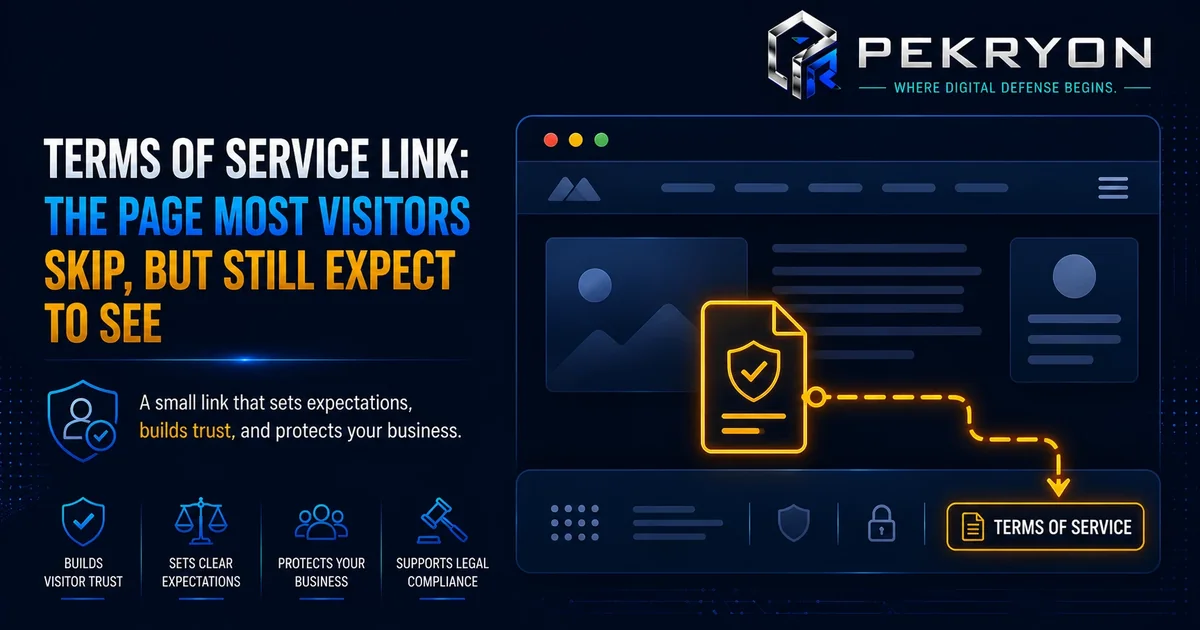
A terms of service link (sometimes called "terms and conditions") is a visible link, usually placed in a website's footer, that leads to a page outlining the rules, expectations, and agreements between a website and the people who use it. This can include things like acceptable use of the website, payment and refund conditions, account responsibilities, and what happens if either side doesn't follow the agreed rules.
Think of it like the rules posted at the entrance of a shared community pool. Most visitors never read every single rule in detail, but the rules exist clearly and visibly, so that if a disagreement ever comes up, there's a clear, previously agreed reference point everyone can point back to, rather than a confusing argument based on assumptions.
Why Should You Care About This?
- Clear expectations — it defines what visitors or customers can and cannot do on your website, reducing confusion and disagreements later.
- Business protection — if a dispute arises, like the refund situation described earlier, a clear terms of service page gives both sides something concrete to refer back to.
- Payment and refund clarity — for websites selling products, services, or subscriptions, this is often where refund conditions, cancellation rules, and payment terms are clearly explained.
- Professional credibility — its presence signals that a business has thought through its policies carefully, which can quietly reassure visitors, especially before making a purchase.
Where Do You See This in Daily Life?
- Seeing a small "Terms of Service" or "Terms and Conditions" link in a website's footer, often right next to the privacy policy link
- Being asked to tick a box agreeing to terms before completing a purchase or creating an account
- Checking a website's refund policy specifically before buying something from an unfamiliar seller
- Referring back to agreed terms during a dispute, either as a customer or as a business owner
How Does It Actually Work?
A terms of service page typically outlines the rules for using a website or purchasing from it — covering areas like acceptable behaviour, intellectual property (rules around content ownership, like text or downloadable files), payment terms, refund and cancellation policies, and what happens if these rules are broken. The link to this page is usually placed in the website's footer, often alongside the privacy policy link.
Here's an important nuance worth understanding clearly: a terms of service page and a privacy policy serve different, distinct purposes, even though they're often placed side by side and sometimes confused with one another. A privacy policy explains how personal information is collected and handled. A terms of service page explains the broader rules of using the website or service itself, including things unrelated to personal data, like refund conditions or acceptable use. Beginners sometimes assume one document covers both purposes, but most websites benefit from having both, since they address genuinely different situations.
Common Examples
- An online store clearly states its refund and cancellation policy in its terms of service, avoiding confusing disputes like the one described earlier.
- A website offering downloadable digital products outlines exactly what customers are allowed to do with those files after purchase, preventing misunderstandings about usage rights.
- A simple blog with no purchases or accounts may only need a short terms of service page covering basic acceptable use of the content, rather than a lengthy, complex document.
Benefits of Having a Clear Terms of Service Link
- Reduces confusion and disputes by setting clear expectations upfront
- Gives both the business and visitors a concrete reference point if disagreements arise
- Clarifies payment, refund, and cancellation conditions clearly for anything sold on the website
- Reflects a considered, professional approach that can quietly build visitor confidence
Risks or Limitations to Understand
- Having a terms of service page does not automatically prevent every dispute — it provides clarity and a reference point, not an absolute guarantee
- A copied, generic template that doesn't reflect your website's actual offerings or policies may not hold up well if a real disagreement occurs
- This page addresses usage rules and agreements specifically — it does not replace a privacy policy, which covers personal data handling separately
- Overly complex or unclear language can defeat the purpose, since visitors and customers should reasonably be able to understand the key points
Common Mistakes Beginners Make
- Assuming a terms of service page and a privacy policy are the same thing, or that having one makes the other unnecessary
- Copying a generic template without adjusting it to reflect their website's actual products, services, or policies
- Leaving out clear refund or cancellation terms, especially for websites that sell products or services
- Not revisiting the page after adding new offerings, features, or payment options that would need to be reflected there
Beginner Tips
- Add a clear, visible terms of service link in your website's footer, ideally alongside your privacy policy link.
- Clearly state refund, cancellation, and payment terms if your website sells anything, since this is one of the most common sources of disputes.
- Keep the language as clear and understandable as possible, so visitors can genuinely grasp the key points without confusion.
- Treat it as a living document — update it whenever you add new products, services, or policies that affect how your website is used.
- Check your website periodically to confirm this link is present and easy to find.
Manual Check Guide: How to Check This Yourself
- Open your website's homepage in any browser.
- Scroll all the way down to the footer at the bottom of the page.
- Look for a link labelled "Terms of Service," "Terms and Conditions," or something similar, usually placed near the privacy policy link.
- Click the link to confirm it actually opens a working page, rather than a broken link or blank page.
- Read through the page briefly to check whether it clearly covers key details relevant to your website, like refund terms if you sell anything.
- If you don't sell anything and only run a simple blog or informational site, check that the page still reasonably reflects basic acceptable use of your content.
This check takes just a couple of minutes and can be done on any website, including your own.
Frequently Asked Questions
1. What is a terms of service link? It's a visible link, usually in a website's footer, leading to a page that outlines the rules and agreements between a website and the people who use it.
2. Is a terms of service page the same as a privacy policy? No. A privacy policy covers how personal data is handled, while a terms of service page covers broader usage rules, like refunds, acceptable behaviour, and payment terms.
3. Do small or simple websites really need this? Generally yes, especially if the website sells anything, collects accounts, or wants clear expectations set with visitors, even in a simple, short form.
4. Can I just copy a terms of service template from another website? It's not advisable without adjusting it, since a generic template may not accurately reflect your actual products, services, or policies, which can weaken its usefulness in a real dispute.
5. Where should the terms of service link be placed? Most commonly in the website's footer, often placed right next to the privacy policy link for easy access from any page.
6. Does having this page guarantee I'll win every dispute? No. It provides clarity and a reference point for both sides, but it isn't an absolute guarantee against every possible disagreement.
7. What should a basic terms of service page include? Generally, acceptable use of the website, payment and refund conditions if applicable, content ownership rules, and what happens if the rules aren't followed.
8. How can I check if my own website has a proper terms of service link? You can check your website's footer directly, or use a website scanning tool to confirm this along with other important details about your site.
Conclusion
The story of the confusing refund disagreement shows how a small, often-overlooked link can quietly prevent real confusion and protect both a business and its customers when things don't go exactly as planned.
This is a manageable, well-understood gap to close. A clear, honest terms of service page — genuinely reflecting how your website actually works — goes a long way toward setting fair expectations from the very start.
If you'd like to check whether your own website has this in place, you can run a quick, free check at pekryon.com and review this along with other technical details about your site.