A small business owner had just finished collecting details from their first few customers through a simple online order form — names, email addresses, phone numbers, and delivery addresses. Everything felt routine, and the business was growing steadily.
One day, a potential customer asked a simple question before placing an order: "Where's your privacy policy? I'd like to know how you handle my information before I share it."
The owner froze for a moment. There was no privacy policy on the website at all. Not because they were hiding anything, but because it had simply never crossed their mind as something a small, honest business needed to think about.
That one question revealed a gap that many beginners don't realise exists until someone actually asks.
Let's understand what it really means.
What Is a Privacy Policy Link?
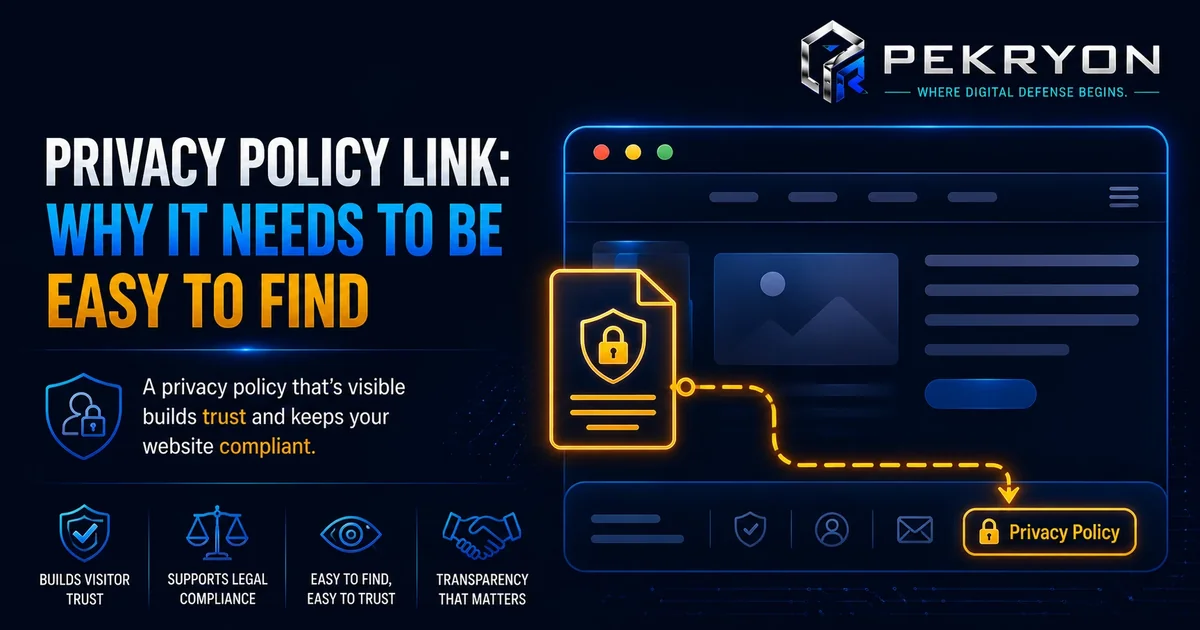
A privacy policy link is a visible link, usually placed in a website's footer, that leads to a page explaining how a website collects, uses, stores, and protects visitors' personal information — things like names, emails, payment details, or browsing behaviour tracked through analytics tools.
Think of it like the ingredients label on a packaged food product. The product itself might be exactly what people expect, but the label exists so people can clearly see what's inside before deciding to consume it. A privacy policy works the same way for personal data — it tells visitors exactly what's being collected and how it's being handled, so they can decide with confidence whether to share their information.
Almost every website that collects any kind of personal information, even something as simple as an email address through a contact form, is generally expected to have one.
Why Should You Care About This?
- Visitor trust — many visitors, especially more cautious ones, specifically look for this link before submitting any personal information, and its absence can quietly raise doubts.
- Legal expectations — many regions around the world have data protection laws that require websites collecting personal information to clearly explain their practices, though the exact requirements vary by location.
- Third-party tool requirements — many common tools like analytics platforms, advertising networks, and payment processors require a visible privacy policy as a condition of using their services at all.
- Professional credibility — a missing privacy policy is one of the first things careful visitors, and sometimes potential business partners, notice as a sign of an unfinished or less trustworthy website.
Where Do You See This in Daily Life?
- Scrolling to the bottom of almost any website and seeing a small "Privacy Policy" link in the footer
- Being asked to accept a cookie or privacy notice when first visiting a website
- Checking a privacy policy briefly before entering payment details on an unfamiliar online store
- Noticing the absence of any such link on a less established or unfamiliar website, and feeling a little more cautious as a result
How Does It Actually Work?
A privacy policy page typically explains, in plain language, what kind of personal information a website collects, why it's collected, how it's stored, whether it's shared with any third parties, and how visitors can request their information be corrected or deleted if needed. The link to this page is usually placed clearly in the website's footer, so it's accessible from every page.
Here's an important nuance worth understanding clearly: not every website needs an identical, one-size-fits-all privacy policy, and requirements can genuinely differ depending on where your visitors are located and what specific laws apply there. For example, some regions have stricter rules about explicit consent before collecting data, while others focus more on giving visitors the right to request their data be deleted. Beginners often assume copying any generic privacy policy template covers every situation, but a policy should genuinely reflect what your specific website actually collects and how it actually handles that information, since an inaccurate policy can create more risk than having a slightly incomplete one.
Common Examples
- An online store clearly links its privacy policy in the footer, explaining that customer details are used only for processing orders and are never sold to third parties.
- A blog using analytics and advertising tools includes a privacy policy explaining what tracking technologies are used and how visitors can manage their preferences.
- A small business website with only a basic contact form still includes a short, honest privacy policy explaining that submitted details are used solely to respond to enquiries.
Benefits of Having a Clear Privacy Policy Link
- Builds visible trust with visitors before they share any personal information
- Helps meet requirements from third-party tools like analytics and payment services
- Supports better alignment with data protection expectations in many regions
- Reflects a professional, complete, and considerate approach to running a website
Risks or Limitations to Understand
- Simply having a privacy policy link does not automatically guarantee full legal compliance — the actual content and accuracy of the policy matters just as much
- A copied, generic template that doesn't reflect your website's real practices can create confusion or even legal risk if it's inaccurate
- Privacy policy requirements can vary significantly depending on where your visitors are located, so a single approach may not fully cover every situation
- This link addresses transparency around data collection specifically — it doesn't replace broader security practices needed to actually protect that data
Common Mistakes Beginners Make
- Assuming a privacy policy is only necessary for large websites or major companies, not smaller, independent ones
- Copying a generic privacy policy template without checking whether it accurately reflects what their own website actually collects
- Placing the link somewhere hard to find, rather than in a consistent, expected location like the footer
- Not updating the privacy policy after adding new tools or features that collect additional information
Beginner Tips
- Add a clear, visible privacy policy link in your website's footer, so it's accessible from every page.
- Make sure the content genuinely reflects your practices — what you actually collect, why, and how it's handled — rather than copying an unrelated template.
- Review and update it whenever you add new tools, forms, or tracking technologies that collect visitor information.
- Keep the language as plain and clear as possible, so visitors can actually understand it without needing legal expertise.
- Check your website periodically to confirm the link still works and remains easy to find.
Manual Check Guide: How to Check This Yourself
- Open your website's homepage in any browser.
- Scroll all the way down to the footer, the section at the very bottom of the page.
- Look for a link labelled "Privacy Policy" or something similar.
- Click the link to confirm it actually opens a working page, rather than leading to a broken link or an empty page.
- Read through the page briefly to check whether it genuinely describes what your website actually collects, or whether it looks like an unrelated, generic template.
- Repeat this check on a couple of other important pages, like your contact or checkout page, to confirm the link is consistently accessible site-wide.
This check takes just a couple of minutes and can be done on any website, including your own.
Frequently Asked Questions
1. What is a privacy policy link? It's a visible link, usually in a website's footer, leading to a page that explains how a website collects, uses, and protects visitors' personal information.
2. Does every website need a privacy policy, even small ones? Generally yes, especially if the website collects any personal information at all, such as through a contact form, newsletter signup, or online store.
3. Can I just copy a privacy policy from another website? It's not advisable. A privacy policy should accurately reflect your own website's actual data practices, since an inaccurate copied policy can create more confusion or risk than a carefully written, honest one.
4. Do privacy policy requirements differ by region? Yes. Different regions have different data protection laws, so requirements can vary depending on where your visitors are located.
5. Where should the privacy policy link be placed? Most commonly in the website's footer, so it remains accessible and consistent across every page of the site.
6. Does having a privacy policy link guarantee full legal compliance? Not by itself. The link matters, but the accuracy and completeness of the actual policy content matters just as much for genuine compliance.
7. What should a basic privacy policy include? Generally, what information is collected, why it's collected, how it's stored or shared, and how visitors can request corrections or deletion of their data.
8. How can I check if my own website has a proper privacy policy link? You can check your website's footer directly, or use a website scanning tool to confirm this along with other important details about your site.
Conclusion
The story of the customer's simple, unexpected question shows how a small, easy-to-overlook link can quietly shape whether visitors feel confident enough to trust a website with their personal information.
This is a straightforward gap to close. A clear, accurate, and honestly written privacy policy link goes a long way toward building trust and meeting expectations, without needing to become a legal expert overnight.
If you'd like to check whether your own website has this in place, you can run a quick, free check at pekryon.com and review this along with other technical details about your site.