A small business owner had recently added a few helpful tools to their website — an analytics tool to understand visitor traffic, and a small chat widget to answer customer questions in real time. Both tools worked well and genuinely helped the business.
A few weeks later, a visitor mentioned they were surprised the website didn't ask for any permission before these tools started tracking their visit. They'd grown used to seeing a small pop-up on most websites asking about cookies, and its absence here felt slightly off, almost like a step had been skipped.
The owner hadn't thought about it at all. The tools were added purely for convenience, without realising that quietly collecting certain visitor information, without asking first, isn't just a matter of politeness in many places — it can be a real requirement.
Let's understand what it really means.
What Is a Cookie Consent Banner?
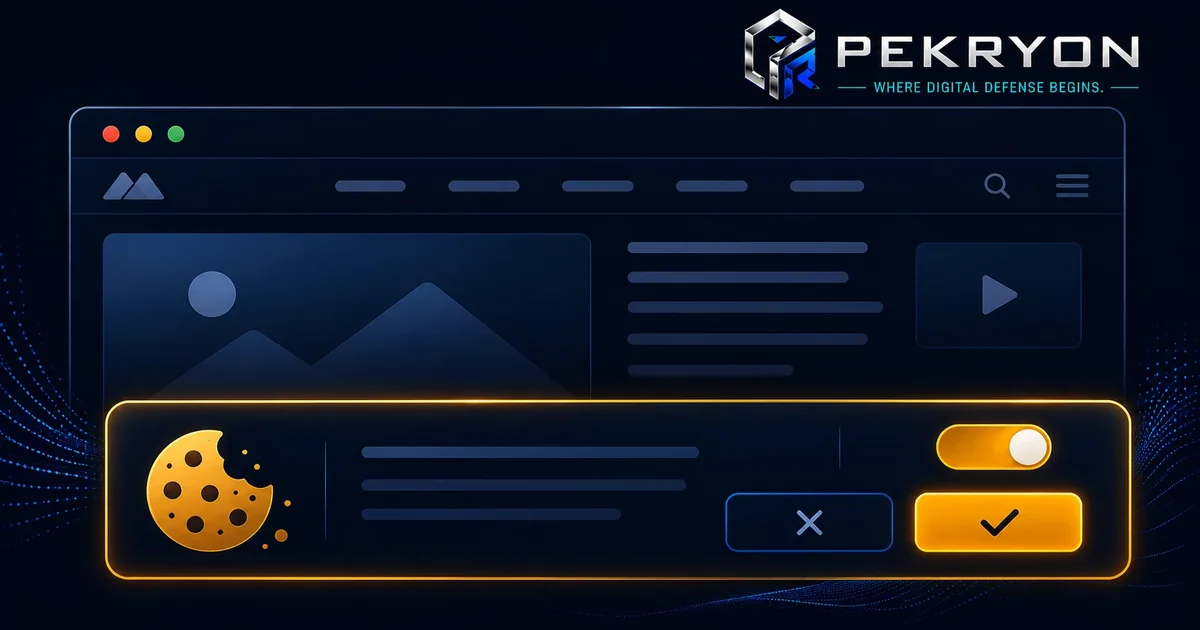
A cookie consent banner is a small notice, usually shown as a pop-up or bar, that appears when someone visits a website for the first time, asking for their permission before certain tracking technologies (called cookies) are used to collect information about their visit.
Cookies themselves are small pieces of data stored in a visitor's browser, often used to remember preferences, keep someone logged in, or track browsing behaviour for analytics and advertising purposes. Some cookies are essential for a website to function properly, while others exist purely to gather additional information about visitors.
Think of it like someone knocking on your door and asking if it's okay to note down a few things about your visit before you step inside, rather than quietly writing notes about you without ever mentioning it.
Why Should You Care About This?
- Visitor trust and transparency — it clearly tells visitors what's being tracked and gives them a genuine choice, rather than collecting information silently in the background.
- Legal expectations — many regions around the world have specific data privacy laws requiring clear consent before certain types of tracking begin, particularly for non-essential cookies used for analytics or advertising.
- Tool and platform requirements — many analytics, advertising, and marketing tools explicitly require proper consent mechanisms as a condition of using their services responsibly.
- Professional credibility — its presence signals that a website has thoughtfully considered visitor privacy, which can quietly build confidence.
Where Do You See This in Daily Life?
- A pop-up or bar appearing the moment you visit a new website, asking you to accept or manage cookie preferences
- Being given the option to choose between "Accept All," "Reject All," or "Manage Preferences" on more detailed banners
- Noticing that some websites remember your previous choice on return visits, while others ask again each time
- Feeling a brief moment of surprise or caution on a website that collects information without ever asking first
How Does It Actually Work?
When a cookie consent banner appears, it typically explains, in simple terms, what kinds of cookies the website uses — often separating them into categories like "essential" (needed for the website to function), "analytics" (used to understand visitor behaviour), and "marketing" (used for advertising purposes). Visitors are then given a genuine choice to accept all, reject non-essential ones, or customise their preferences in more detail.
Here's an important nuance worth understanding clearly: not all cookies require the same level of consent, and this is where many beginners get confused. Essential cookies, which are strictly necessary for basic website functionality, generally don't require the same explicit opt-in consent as non-essential tracking cookies used for analytics or advertising. Assuming every single cookie needs identical treatment can lead to either an overly complicated banner or, just as commonly, a banner that technically exists but doesn't properly distinguish between what actually needs consent and what doesn't.
Common Examples
- An online store's cookie banner clearly separates essential cookies (needed for the shopping cart to work) from optional analytics cookies, letting visitors choose freely.
- A blog adds a basic "Accept" only banner without explaining what's being tracked or offering a genuine choice to decline, which technically exists but may not properly reflect meaningful consent.
- A business website remembers a visitor's cookie preference on return visits, avoiding the need to ask the same question repeatedly on every single visit.
Benefits of Using a Proper Cookie Consent Banner
- Builds visible trust by giving visitors a genuine, informed choice about their data
- Helps align your website with data privacy expectations in many regions
- Supports proper use of analytics, advertising, and marketing tools that often require consent mechanisms
- Reflects a considerate, transparent approach to running a website
Risks or Limitations to Understand
- Simply having a cookie banner does not automatically guarantee full legal compliance — the accuracy and clarity of the choices offered matters just as much
- A banner that doesn't genuinely distinguish between essential and non-essential cookies may not meet expectations, even if something is technically shown
- Cookie consent addresses tracking transparency specifically — it doesn't replace a broader privacy policy explaining overall data handling practices
- Requirements can vary depending on where your visitors are located, so a single, generic approach may not fully suit every audience
Common Mistakes Beginners Make
- Assuming a simple "Accept" button alone is enough, without offering a genuine option to decline or customise preferences
- Not distinguishing between essential and non-essential cookies, treating all tracking the same way
- Adding tracking tools first and only thinking about consent as an afterthought
- Forgetting to update the banner and its explanations after adding new tools that introduce additional tracking
Beginner Tips
- Add a clear, genuine cookie consent banner before any non-essential tracking tools begin collecting visitor information.
- Offer a real choice, not just an "Accept" button, so visitors can decline or customise their preferences meaningfully.
- Separate essential cookies from optional ones, so visitors understand what's strictly necessary versus what's optional tracking.
- Keep the explanation simple and honest, avoiding overly technical or vague language.
- Review this alongside your privacy policy periodically.
Manual Check Guide: How to Check This Yourself
- Open a private or incognito browser window (so you're treated as a first-time visitor).
- Visit your website's homepage.
- Check whether a cookie consent banner appears before or shortly after the page loads.
- If a banner appears, look for whether it offers a genuine choice — options like "Reject" or "Manage Preferences," not just a single "Accept" button.
- Try clicking "Manage Preferences" (if available) to see whether it clearly separates essential cookies from optional ones, like analytics or advertising.
- Revisit the site in the same browser window and confirm whether your previous choice was remembered, rather than being asked again immediately.
This check takes just a couple of minutes and gives a clear first impression of how your site currently handles cookie consent.
Frequently Asked Questions
1. What is a cookie consent banner? It's a pop-up or bar shown to visitors, asking for permission before certain tracking technologies, called cookies, are used to collect information about their visit.
2. Do all cookies need the same level of consent? No. Essential cookies needed for basic website functionality generally require less explicit consent than non-essential cookies used for analytics or advertising.
3. Is a cookie consent banner the same as a privacy policy? No. A cookie banner specifically addresses tracking consent at the moment of visiting, while a privacy policy explains a website's overall data handling practices in more detail.
4. Does every website need a cookie consent banner? Generally, any website using non-essential tracking tools, like analytics or advertising cookies, benefits from having one, especially depending on where visitors are located.
5. Is just having an "Accept" button enough? Not ideally. Visitors should generally be given a genuine choice to decline or customise their preferences, rather than only being able to accept everything.
6. Do cookie consent requirements differ by region? Yes. Different regions have different data privacy laws, so what's expected can vary depending on where your visitors are located.
7. Can a website remember a visitor's cookie choice for future visits? Yes, many properly built cookie banners remember previous choices, avoiding the need to ask the same question repeatedly on every visit.
8. How can I check if my website has a proper cookie consent setup? You can review your website in a private browser window as a first-time visitor would see it, or use a website scanning tool to check this along with other important details.
Conclusion
The moment of quiet surprise from a visitor noticing tracking without ever being asked shows how a small, expected step like a cookie consent banner can quietly shape how much trust visitors place in a website.
This is a well-understood, manageable step to get right. A clear, honest banner that genuinely distinguishes between essential and optional tracking goes a long way toward respecting visitor choice from the very first moment they arrive.
If you'd like to check whether your own website has this in place, you can run a quick, free check at pekryon.com and review this along with other technical details about your site.