A small business owner had just launched a beautiful new website. Everything looked perfect — good design, clear text, nice photos.
A few weeks later, a customer using a screen reader (special software that reads website content aloud for people with visual impairments) messaged saying the website sounded strange when read aloud. Words were mispronounced, and the pacing felt off, as if the software wasn't sure what language it was even reading.
Around the same time, the owner noticed something odd in search results too — the site wasn't showing up properly for local searches in the right language, even though every page was clearly written in one specific language.
Nothing was wrong with the content itself. The problem was something far smaller, sitting quietly inside the website's code, that most beginners never even know exists.
Let's understand what it really means.
What Is the HTML Lang Attribute?
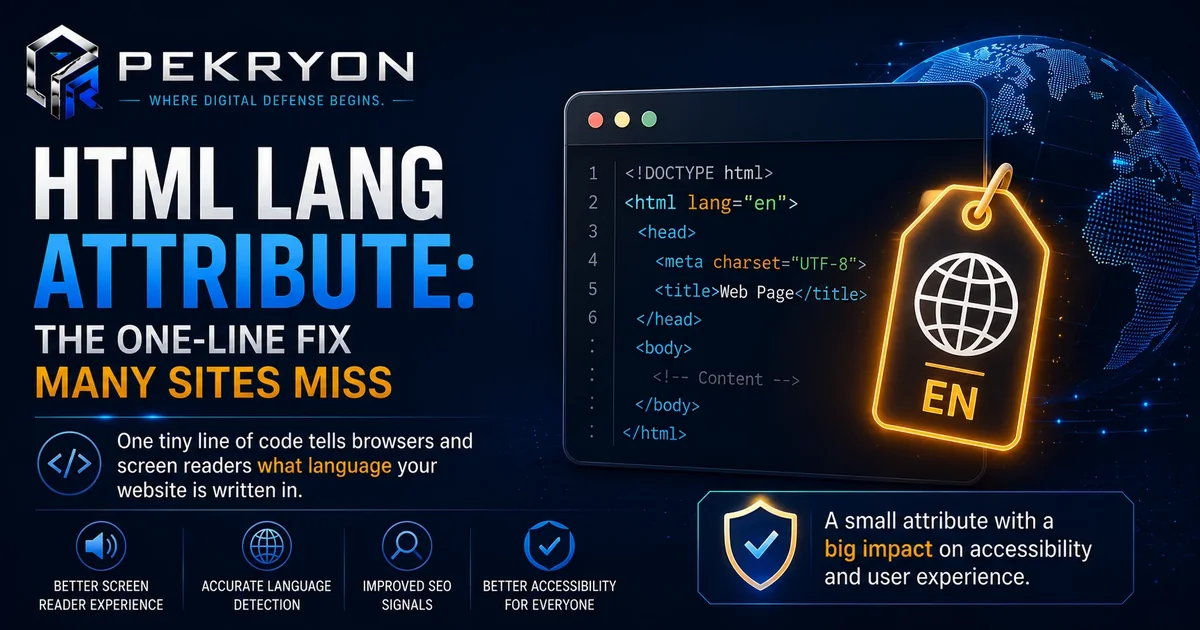
Every webpage is built using HTML, a code language that structures content so browsers know how to display it. Right at the very top of this code, there's a small tag that looks something like this:
<html lang="en">
That short piece — lang="en" — is called the HTML lang attribute. It simply tells browsers, screen readers, and search engines what human language the page's content is written in. "en" stands for English, but it could be any language code, like "fr" for French or "es" for Spanish.
Think of it like a small label on a food packet stating its ingredients. The label doesn't change the food, but it tells everyone handling the packet exactly what they're dealing with, so they can treat it correctly.
Without this label, browsers and assistive tools have to guess the page's language — and guessing doesn't always go well.
Why Should You Care About This?
- Accessibility — screen readers use the lang attribute to choose the correct pronunciation and accent. Without it, spoken content can sound robotic or confusing.
- Search engines — search engines use this attribute as one signal to understand and correctly categorise your content by language, which can affect how your site appears in language-specific searches.
- Browser features — features like automatic translation prompts rely on this tag to know when to offer a translation option to visitors.
- Professional trust — this small technical detail is exactly the kind of thing security and quality-checking tools flag, signalling a site that may not have been built carefully.
Where Do You See This in Daily Life?
- A browser popping up and asking, "Would you like to translate this page?" — that prompt often depends on the lang attribute being set correctly
- A screen reader switching its voice and accent automatically when moving between websites in different languages
- Search results showing you content specifically matching your language, without you having to filter anything manually
How Does It Actually Work?
The lang attribute usually sits in the very first line of a webpage's code, inside the opening <html> tag. For a page written entirely in one language, you set it once at the top, and it applies to the whole page.
Here's an important nuance worth knowing: a single lang attribute at the top only describes the main language of the page. If part of a page includes content in a different language — like a quote or a translated section — that portion can carry its own separate lang attribute, so tools can treat it differently. Beginners often assume one lang tag covers everything perfectly everywhere, but mixed-language content needs a little extra care.
Setting the lang attribute doesn't automatically translate anything or change your content. It purely labels what language is already there, so tools can respond appropriately.
Common Examples
- A recipe website written entirely in one language sets a single lang attribute at the top, and everything works smoothly for screen readers and translation tools.
- A multilingual blog with articles in different languages sets the lang attribute separately for each individual page.
- A business page mostly in one language, with a short quoted testimonial in another, marks just that testimonial section with its own lang attribute, keeping the rest correctly labelled.
Benefits of Setting the Lang Attribute Correctly
- Makes your website genuinely more accessible to visitors using screen readers
- Helps browsers offer accurate translation options to international visitors
- Supports search engines in understanding and correctly serving your content
- Reflects careful, professional website building
Risks or Limitations to Understand
- Setting the lang attribute correctly does not fix other accessibility issues on its own
- An incorrect language code can cause more confusion than having none at all
- This attribute affects language handling only — it has no direct effect on page design, loading speed, or security
Common Mistakes Beginners Make
- Leaving the lang attribute out completely, assuming browsers will "just figure it out"
- Using an incorrect or outdated language code by mistake
- Assuming one lang attribute automatically covers every mixed-language section on a page
- Not realising this small detail affects accessibility and search visibility until a customer or audit points it out
Beginner Tips
- Check your website's homepage code for a lang attribute right at the top, inside the opening
<html>tag. - Match the language code to your actual content — a quick search for "HTML language codes list" shows you the correct short code for your language.
- Label mixed-language sections separately if your page includes meaningful content in more than one language.
- Re-check after redesigns — website updates sometimes accidentally remove or alter this tag without anyone noticing.
- Run a broader technical check periodically, since small details like this are easy to overlook during quick edits.
Manual Check Guide: How to Check This Yourself
- Open your website's homepage in any browser.
- Right-click anywhere on the page (away from images or links) and select "View Page Source" from the menu that appears.
- A new tab will open showing the page's raw code.
- Use your browser's find feature (usually Ctrl+F or Cmd+F) and search for the word "lang".
- Look near the very top of the code for something like
<html lang="en">. The letters inside the quotes tell you which language code is currently set. - If you can't find "lang=" at all, or the code inside the quotes doesn't match your actual content's language, that's worth fixing.
This takes less than a minute and works on any website, including your own.
Frequently Asked Questions
1. What is the HTML lang attribute? It's a small piece of code near the top of a webpage that tells browsers, screen readers, and search engines what language the page's content is written in.
2. Why does it matter if my page already looks fine to visitors? Because its main benefits are often invisible to regular visitors — it mainly helps screen readers, translation tools, and search engines understand your content correctly.
3. Does setting the lang attribute translate my website? No. It only labels the existing language of your content. It doesn't change, add, or translate anything on the page.
4. What happens if I don't set a lang attribute at all? Browsers and assistive tools have to guess your page's language, which can lead to mispronounced screen-reader audio, incorrect translation prompts, and weaker language signals for search engines.
5. Can one page have more than one language? Yes. While a page has one main lang attribute at the top, specific sections in a different language can carry their own separate lang attribute for accuracy.
6. Does this attribute affect my website's search ranking? It's not a major ranking factor by itself, but it helps search engines correctly understand and categorise your content by language, supporting better visibility in language-specific searches.
7. How do I check if my website already has this set correctly? You can view your page's source code directly in your browser, or use a website scanning tool to check this along with other technical details.
8. Is this attribute only useful for non-English websites? No. Every website benefits from having a correctly set lang attribute, regardless of which language it's written in.
Conclusion
The story of the confused screen reader shows how something as small as a single attribute in your website's code can quietly affect real people and real tools — accessibility, translation prompts, and search visibility all depend a little on this one detail.
Fixing it is simple once you know it exists. A quick check of your homepage's code, matched with the correct language, is often all it takes.
If you'd like to see how your own website is set up, you can run a quick, free check at pekryon.com and review this along with other technical details about your site.